ES6 cheatsheet: Destructuring

Serban Mihai / 20 October 2018
~1 min read
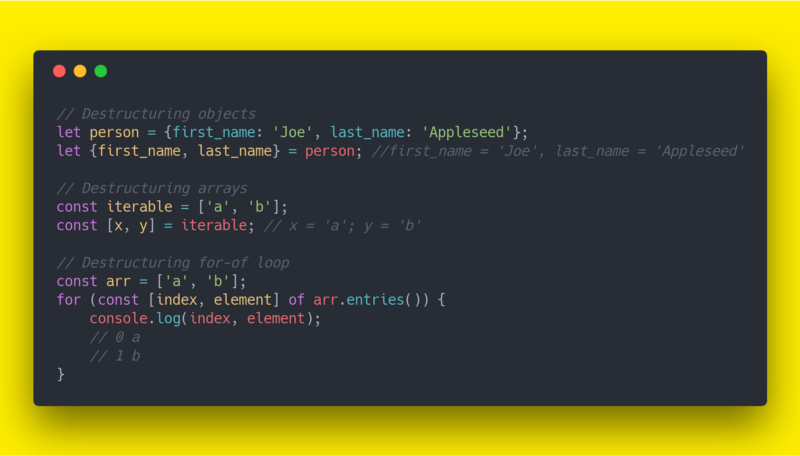
Destructuring
Destructuring is a convenient way of extracting multiple values from data stored in (possibly nested) objects and Arrays.
Array
Destructuring assignment allows you to assign the properties of an array using syntax that looks similar to array literals.
Old way:
var first = someArray[0];
var second = someArray[1];
var third = someArray[2];
New way:
let [first, second, third] = someArray;If you want to declare your variables at the same time, you can add a var, let, or const in front of the assignment.
var [ variable1, variable2, ..., variableN ] = array;
let [ variable1, variable2, ..., variableN ] = array;
const [ variable1, variable2, ..., variableN ] = array;
We can even skip a few variables:
let [,,third] = ["foo", "bar", "baz"];
console.log(third); // "baz"
There’s also no need to match the full array:
let array = [1, 2, 3, 4];
let [a, b, c] = array;

console.log(a, b, c) // -------- 1  2  3
You can capture all trailing items in an array with a “rest” pattern:
const array = [1, 2, 3, 4];
const [head, ...tail] = array;
console.log(head); // 1
console.log(tail); // [2, 3, 4]
Rest parameter must be applied as the last element, otherwise you’ll get a SyntaxError.
let array = [1, 2, 3, 4];
let [...head, d] = array;
// Uncaught SyntaxError: Unexpected token...
Object
Old way of destructuring an object:
var person = { first_name: 'Joe', last_name: 'Appleseed' };
var first_name = person.first_name; // 'Joe'
var last_name = person.last_name; // 'Appleseed'
New way of destructuring an object:
let person = { first_name: 'Joe', last_name: 'Appleseed' };
let {first_name, last_name} = person;

console.log(first_name); // 'Joe'
console.log(last_name); // 'Appleseed'
When you destructure on properties that are not defined, you get undefined:
let { missing } = {};
console.log(missing); // undefined
You can also destructure in a for-of loop:
const arr = ['a', 'b'];
for (const [index, element] of arr.entries()) {
    console.log(index, element);
}
// Output:
// 0 a
// 1 b
Object rest properties were standardized in ES2018. If you support older runtimes, transpile this syntax.
let object = {
  a: 'A',
  b: 'B',
  c: 'C',
  d: 'D',
}

const { a, b, ...other } = object;
console.log(other); // {c: 'C', d: 'D'}