JavaScript cheatsheet: Async/Await (ES2017)

Serban Mihai / 20 October 2018
~1 min read
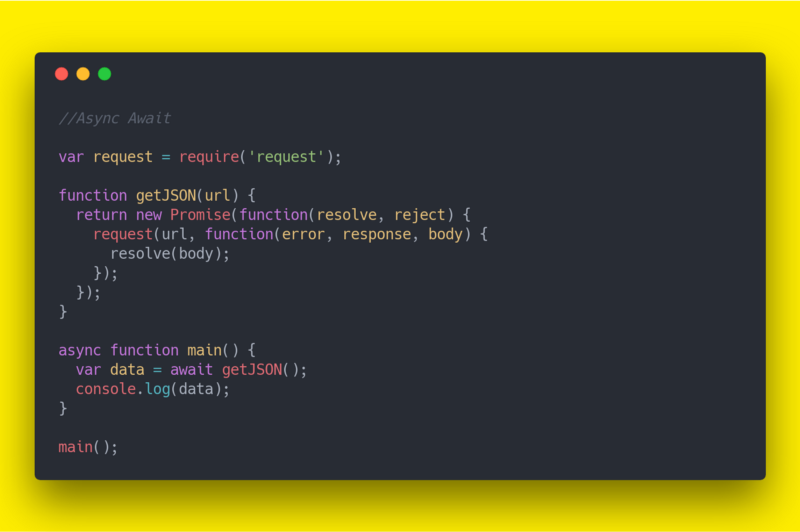
- Async/await was standardized in ES2017. Previous options for asynchronous code are callbacks and promises.
- Async/await is built on top of promises. It cannot be used with plain callbacks or node callbacks.
- Async/await makes asynchronous code look and behave a little more like synchronous code.
In a regular script, await may only be used in functions marked with the async keyword. ECMAScript modules can also use top-level await. It suspends execution in its context until the promise settles. If the awaited expression isn’t a promise, it is converted to one.
async await allows us to perform the same thing we accomplished using Generators and Promises with less effort:
async function getJSON(url) {
  const response = await fetch(url);
  if (!response.ok) {
    throw new Error(`Request failed: ${response.status}`);
  }
  return response.json();
}

async function main() {
  try {
    const data = await getJSON('https://api.example.com/data');
    console.log(data);
  } catch (error) {
    console.error(error);
  }
}

main();
Under the hood, it performs similarly to Generators.
Updated 2026-09-13: The original callback wrapper depended on the now-deprecated
requestpackage, ignored errors, and calledgetJSONwithout a URL. The example now usesfetch, available in modern browsers and Node.js 18+.